Dictionary Replacements
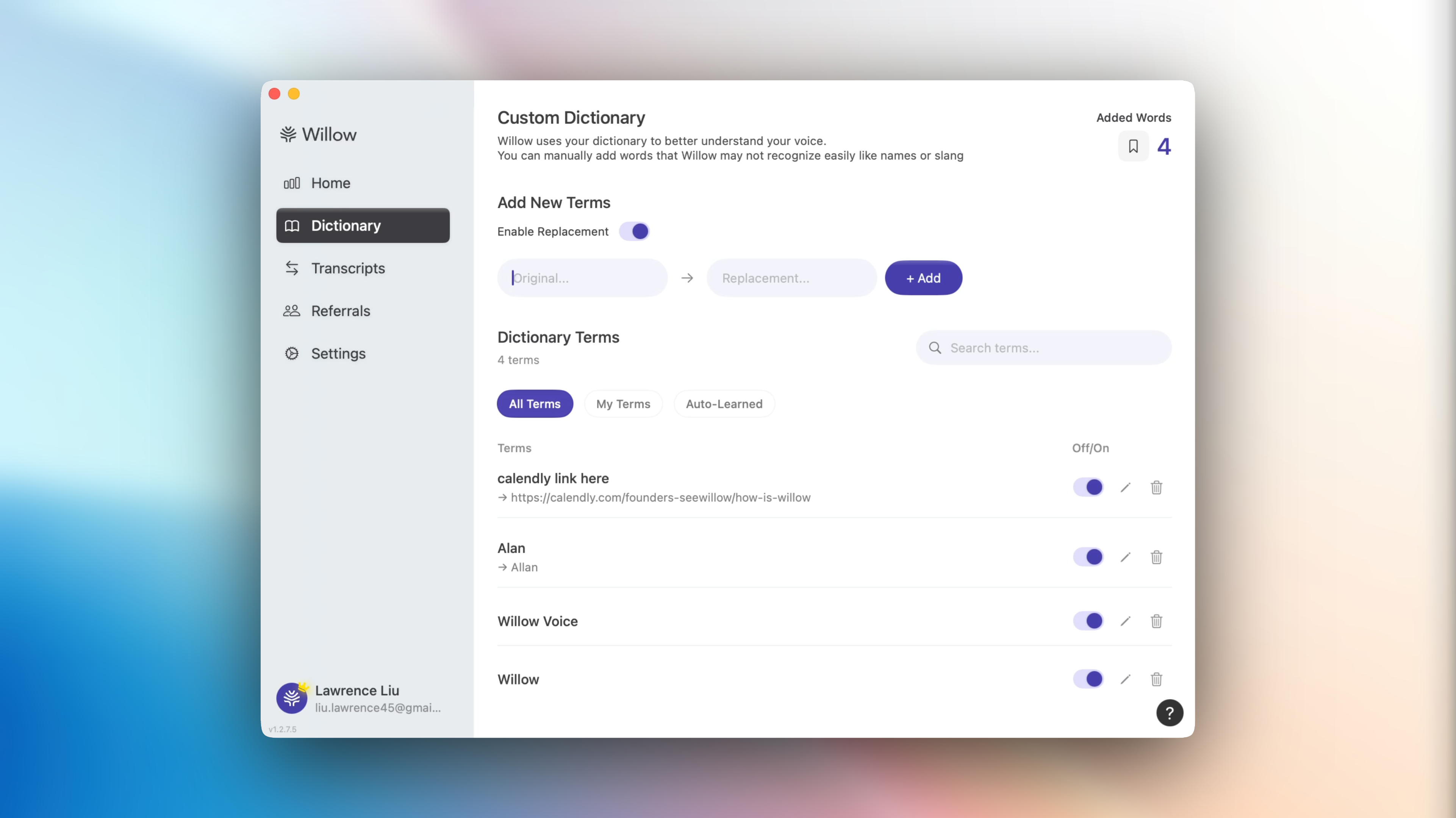
Made in v1.2.1 - v1.2.5.
You can now directly enable replacements in your texts! Two interesting cases that we think this can be pretty great at (both in the screenshot above).
Those pesky names Willow occasionally misses.
Anecdotally speaking, when I’m texting or referring to Allan, my cofounder (notice the spelling), Willow ends up spelling it Alan, even when it's in the dictionary. Very interestingly, only if I say “Allllllllan” with an emphasis on the A, Willow seems to pick it up and apply the correction.
As our model improves and self-learns, these cases should decrease drastically, but in the meantime, if our model keeps failing, the text replacement feature is great!
Smart text insertions.
For emails, having the “insert calendly link here” replacement has helped me a ton with getting everything done in one go. Verbatim, this is how I usually dictate my emails.
Hey Justin thanks for getting back. Here’s a link for our meeting colon insert calendly link here. Best Lawrence CTO.
Willow does a great job of reformatting properly, and what I end up with is:
Hey Justin,
Thanks for getting back. Here’s a link for our meeting: https://calendly.com/founders-seewillow/how-is-willow
Best,
Lawrence
CTO
Bug Fixes and Whatnot
Here’s a comprehensive list of the bugs we squashed and the smaller features we added.
Users with Google OAuth now correctly get a referral code when signing up.
Less audio lag/crashes when signing up (removing external mixers).
No more unnecessary app refocusing, caused by the focus state on the status bar icon.
Updated videos to match our new app.
Descriptive timeout/error toasts are now improved.
Notch now correctly works on expanded screens (Screen Size Compact / Expanded)
Onboarding language fixed.
Happy dictating!
Lawrence Liu (CTO)