Team Dictionaries Out of Beta
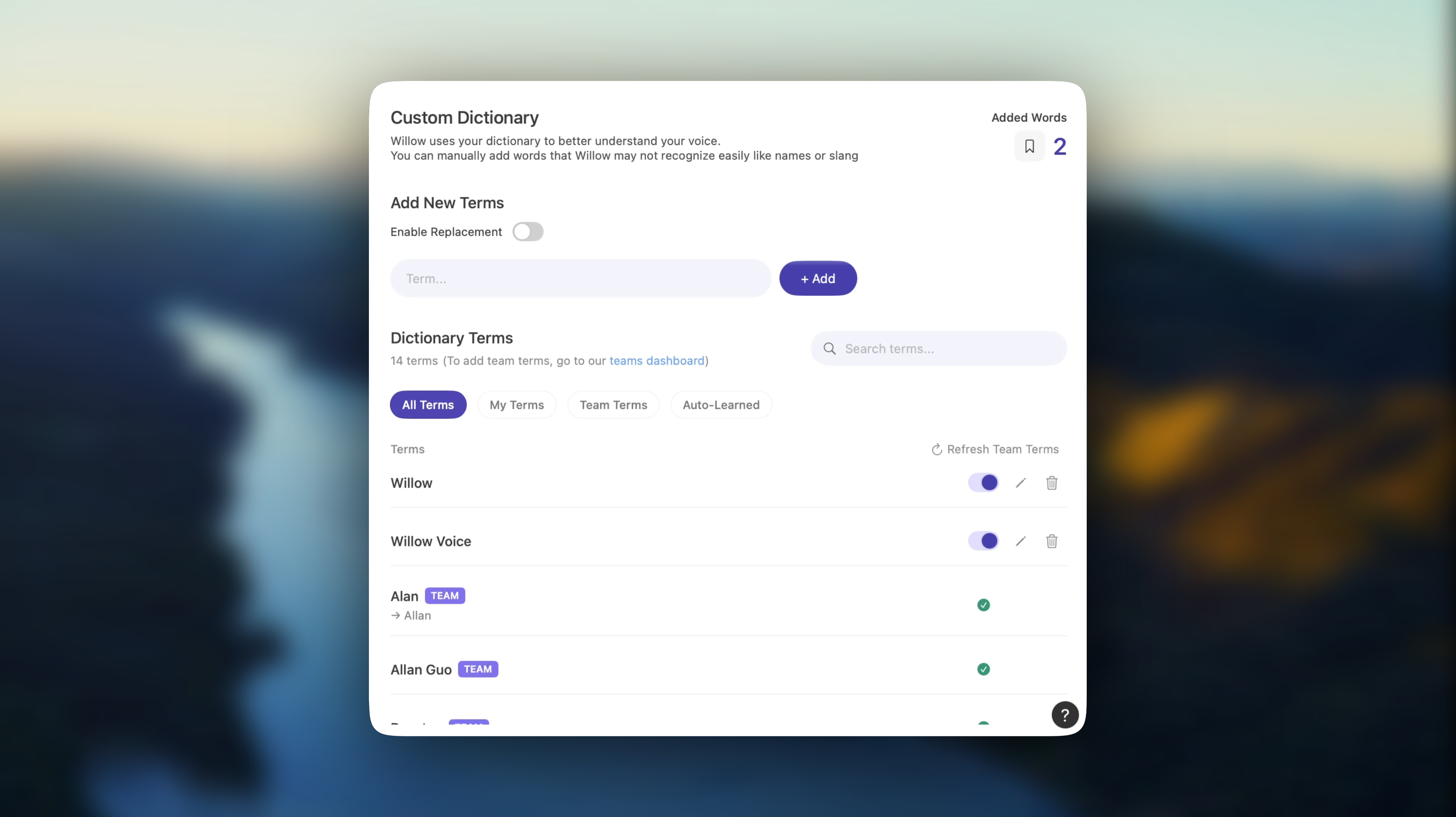
Made in v1.2.7.16
We have officially released team dictionaries out of beta! Here’s how to use them.
Go to teams.willowvoice.com (Sidebar → Shared Dictionary)

Add all terms that you and your team need! Some terms/replacements we do here at Willow that could provide some inspiration.
(Alan → Allan) Works great because of the issue described in this changelog. Both Allan and I utilize this one!
(Student discount code → [Our coupon code]) We use this one to offer discounts to students that need it! Makes it super easy for us to one-shot most of our emails.
(Z-Fellows) Any terms that need specific indentation/formatting/hyphenating, we automatically add to our dictionary. The model picks up on these great!
Once you open and update the app to the latest version (v1.2.7.15), you’ll be able to see these terms saved in your dictionary!
Note: You are not able to edit the list of terms from within the app, due to teams’ requirements for owner / admin-only dictionary additions.
And a huge personal thanks to all of our early teams who’ve onboarded—we really appreciate you spreading the love for Willow!
Happy dictating!
Lawrence Liu (CTO)